The dwell indicator on mouse selection settings
- Choose .
- From the Dwell Indicator: drop-down list, select one of the following options:
Field Explanation None There is no visual indication of dwell time Bar on Bottom A bar appears at the bottom. 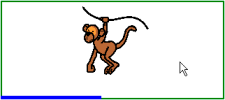
Bar at Top A bar appears at the top. 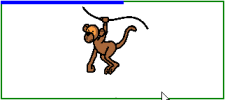
Full circle clock A complete clock appears. 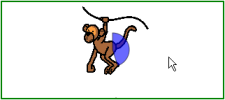
Hollow clock A hollow clock appears. 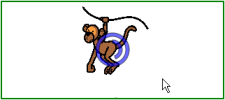
Circle (on selection) A full circle appears when selected. 
- As required, click on the colored cell next to the Dwell Indicator: drop-down list, and select a color and click OK.
- Click OK.