Setting the volume
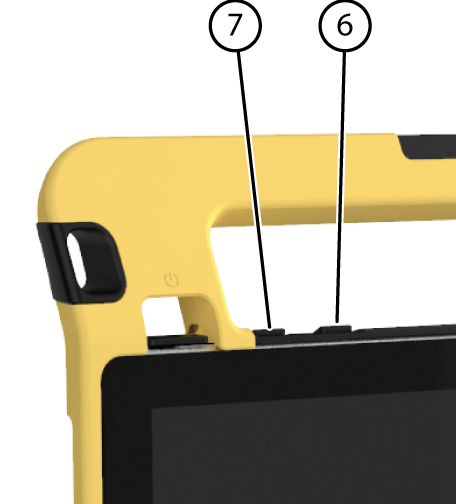
As well as using the Mind Express, you can also set the volume with the volume controls (6) (7) and via Windows 10.
Note: If the volume icon is not visible in the Windows 10 task bar, choose  first to display the hidden icons.
first to display the hidden icons.
| Function | Action with the volume controls | Action in the Windows 10 task bar |
|---|---|---|
| Increase the volume | Press the volume control (6) until the required volume is reached. | Select the volume icon  in the task bar and move the slider to the right to set the required volume. in the task bar and move the slider to the right to set the required volume. |
| Decrease the volume | Press the volume control (7) until the required volume is reached. | Select the volume icon in the task bar and move the slider to the left to set the required volume. |
| Switch off the volume | Press the volume control (6) until the volume is set to 0. | Select the volume icon in the task bar and move the slider to the left until the volume is set to 0. |